
Conversational AI

From Manual Operations to Controlled AI Automation: Building Workflows With Human Approval

Operations · AI Automation · n8n

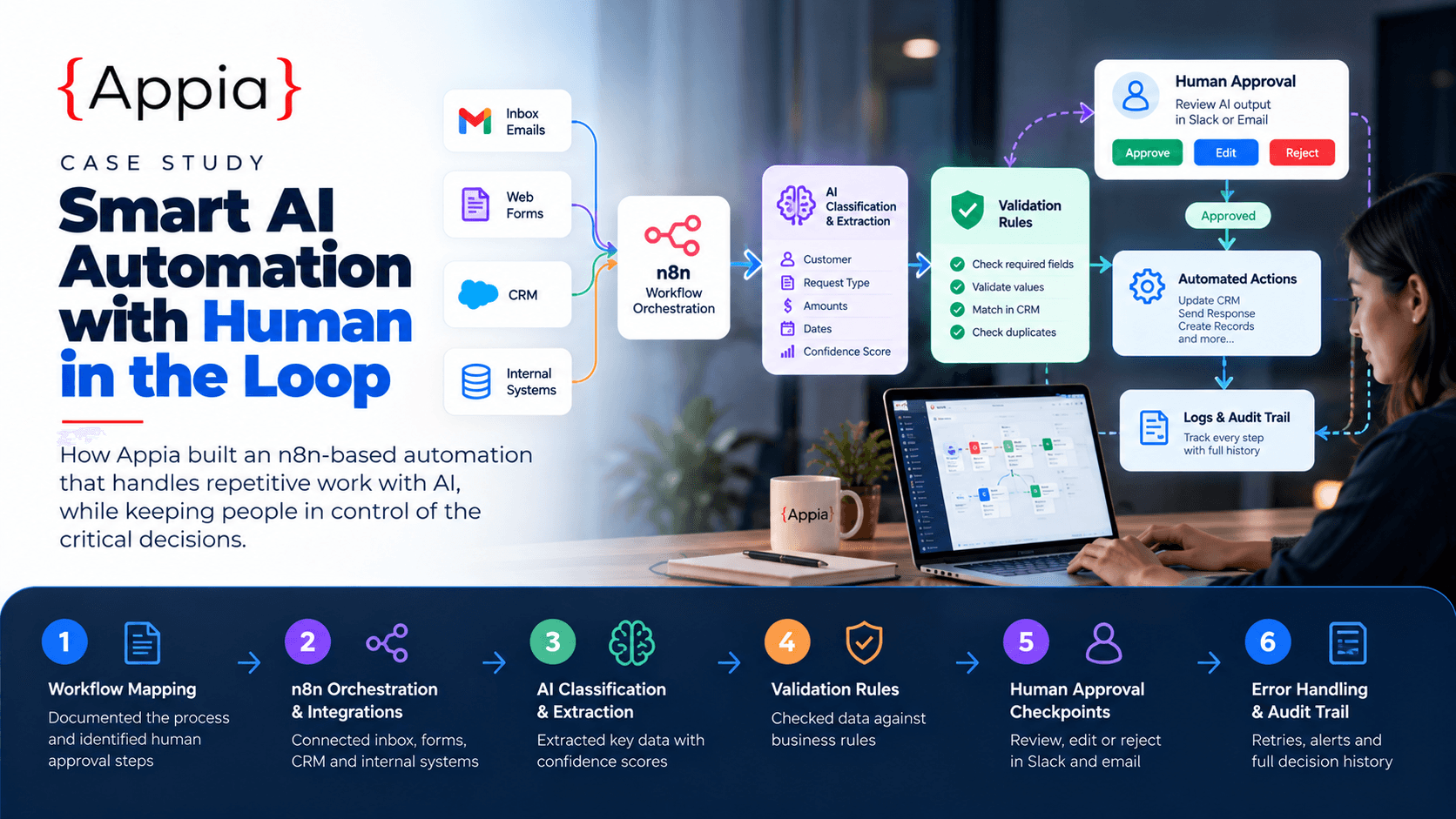
Appia helped an operations team replace a repetitive, error-prone manual process with an AI-assisted workflow built on n8n and APIs, with human approval built in for every high-impact action. The result: 25+ hours saved each week without handing control to an unsupervised bot.

From Manual Operations to Controlled AI Automation: Building Workflows With Human Approval banner

25+ hrs

Manual Work Saved Per Week

80%

Requests Processed Without Re-Keying

100%

High-Impact Actions Human-Approved

Background

The client is a growing services business whose operations team handled a high volume of incoming requests by email and web form: customer orders, change requests, and supporting documents. Every request had to be read, classified, checked against the CRM, entered into internal systems, and answered.

The team was interested in AI automation but cautious. They had seen demos of AI agents acting on their own and worried about what would happen when one got something wrong in front of a customer. They wanted the time savings without losing control.

Challenge

Before automation, the workflow was almost entirely manual:

  • Staff read each incoming email or form and decided what kind of request it was.
  • They copied details by hand into the CRM and the order system, often across several screens.
  • They checked documents for missing information and chased customers for anything incomplete.
  • They wrote replies and updated request status by hand.

This took several hours a day, created a backlog at busy times, and led to data-entry errors such as wrong amounts, duplicate records, and missed follow-ups. Mapping out failure scenarios early also showed the real risks of automating it: misread documents, ambiguous requests, duplicate submissions, API outages, and AI output that sounds confident but is wrong.

Solution

Appia designed the automation around one principle: AI does the repetitive work, and people make the decisions that matter.

  1. Workflow Mapping — Documented the existing process step by step with the operations team, marked which steps were low-risk and repeatable, and identified the actions that must never happen without a person signing off, such as financial changes, customer-facing commitments, and record deletions.
  2. n8n Orchestration & API Integrations — Built the workflow in n8n, connecting the inbox, web forms, CRM, and internal systems through their APIs, so data moves between tools automatically instead of being re-typed.
  3. AI Classification & Extraction — Used an AI model to classify each request and pull out structured fields such as customer, request type, amounts, and dates. Each result comes with a confidence score, and anything below the threshold goes to a person instead of being processed automatically.
  4. Validation Rules — Checked every AI output against business rules before acting on it: required fields present, values within expected ranges, customer matched in the CRM, and no duplicate request already open. Requests that fail any rule are flagged with the reason.
  5. Human Approval Checkpoints — Sent high-impact actions to an approval queue in Slack and email, showing the original request, the AI's proposed action, and the validation results. Reviewers approve, edit, or reject in one click, and nothing customer-facing or financial runs without that sign-off.
  6. Error Handling & Audit Trail — Added retries with back-off for API failures, a dead-letter queue for anything that can't be processed, and real-time alerts to the team. Every step is logged, including what the AI proposed and who approved it, so every decision can be traced.

Results

The workflow now handles the routine work end to end: about 80% of requests are classified, validated, and entered into the right systems without anyone re-typing data. The operations team saves more than 25 hours a week, the backlog at busy periods has gone, and data-entry errors have dropped sharply because values are validated before they reach the CRM.

Every high-impact action still goes through a person. That is what made the team comfortable adopting the system: they review and approve instead of typing, and they can see exactly what the automation did and why. Approval thresholds can be relaxed step by step as confidence grows, so the client decides how much autonomy the system gets.

Start growing with Appia

Tell us what you are building—we will help you define the roadmap, ship with confidence, and scale delivery without losing quality.

Related case studies

More ways teams partner with Appia to ship outcomes that last.

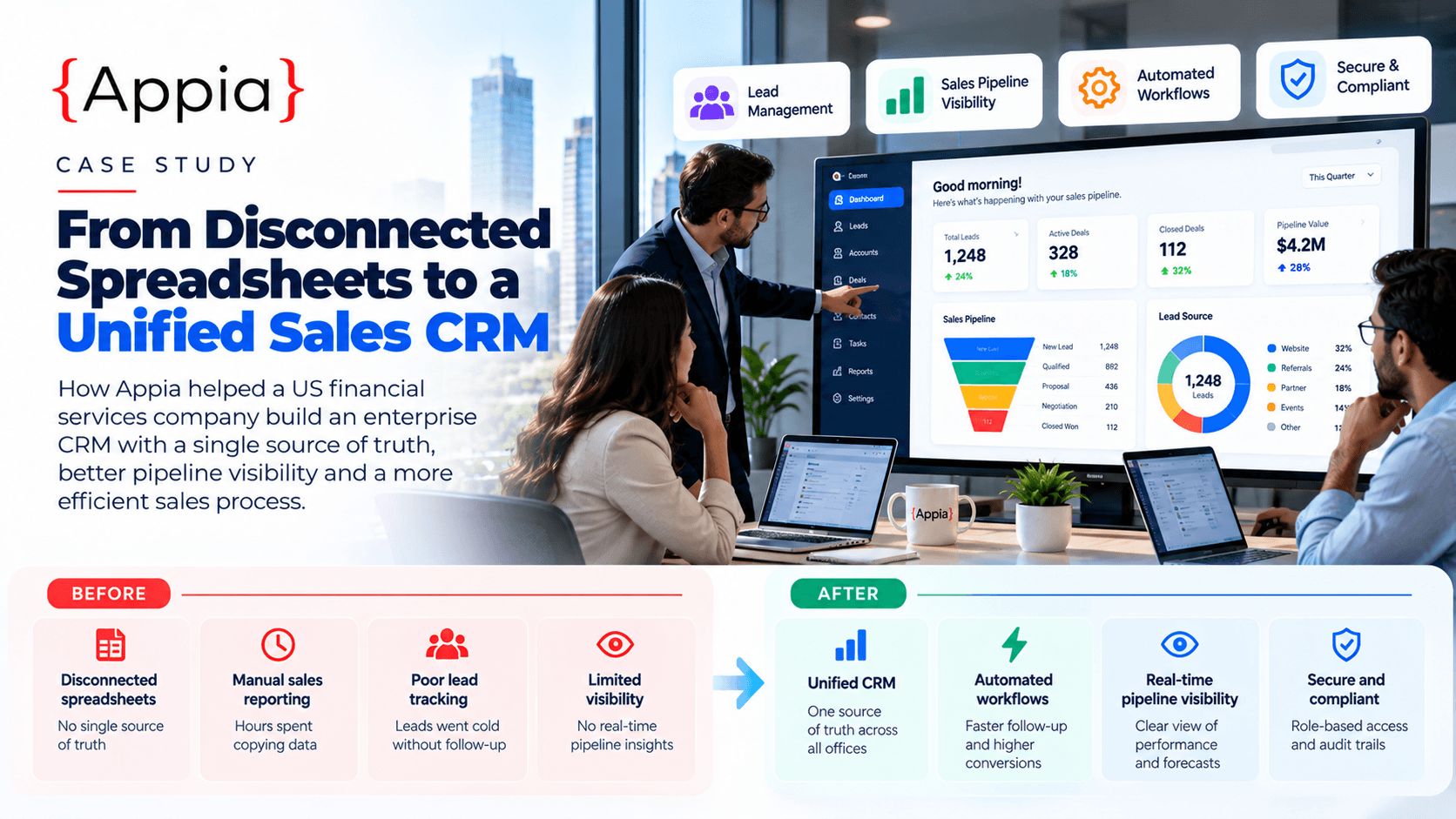
How We Helped a Financial Services Company Modernize Its CRM and Sales OperationsFinancial services

Financial Services · Microsoft Dynamics 365

How We Helped a Financial Services Company Modernize Its CRM and Sales Operations

A US financial services company was running its sales operation on disconnected spreadsheets and manual reports. Appia delivered a customised Microsoft Dynamics 365 CRM with tailored modules, automated workflows, system integrations, and live dashboards, giving leadership a real-time view of the pipeline and freeing the sales team from hours of admin.

80%

Shorter Sales Cycle

Read case study